图片
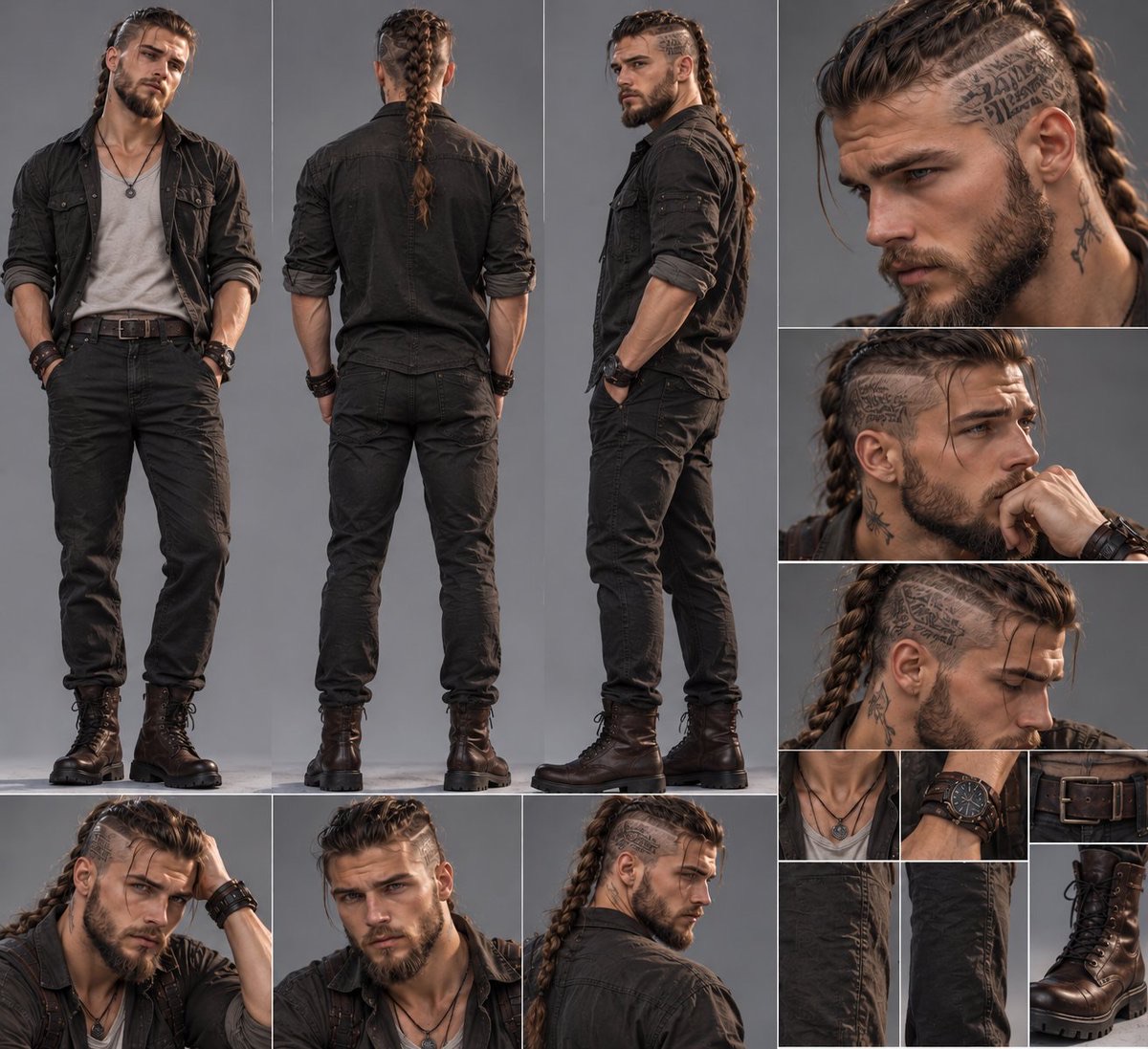
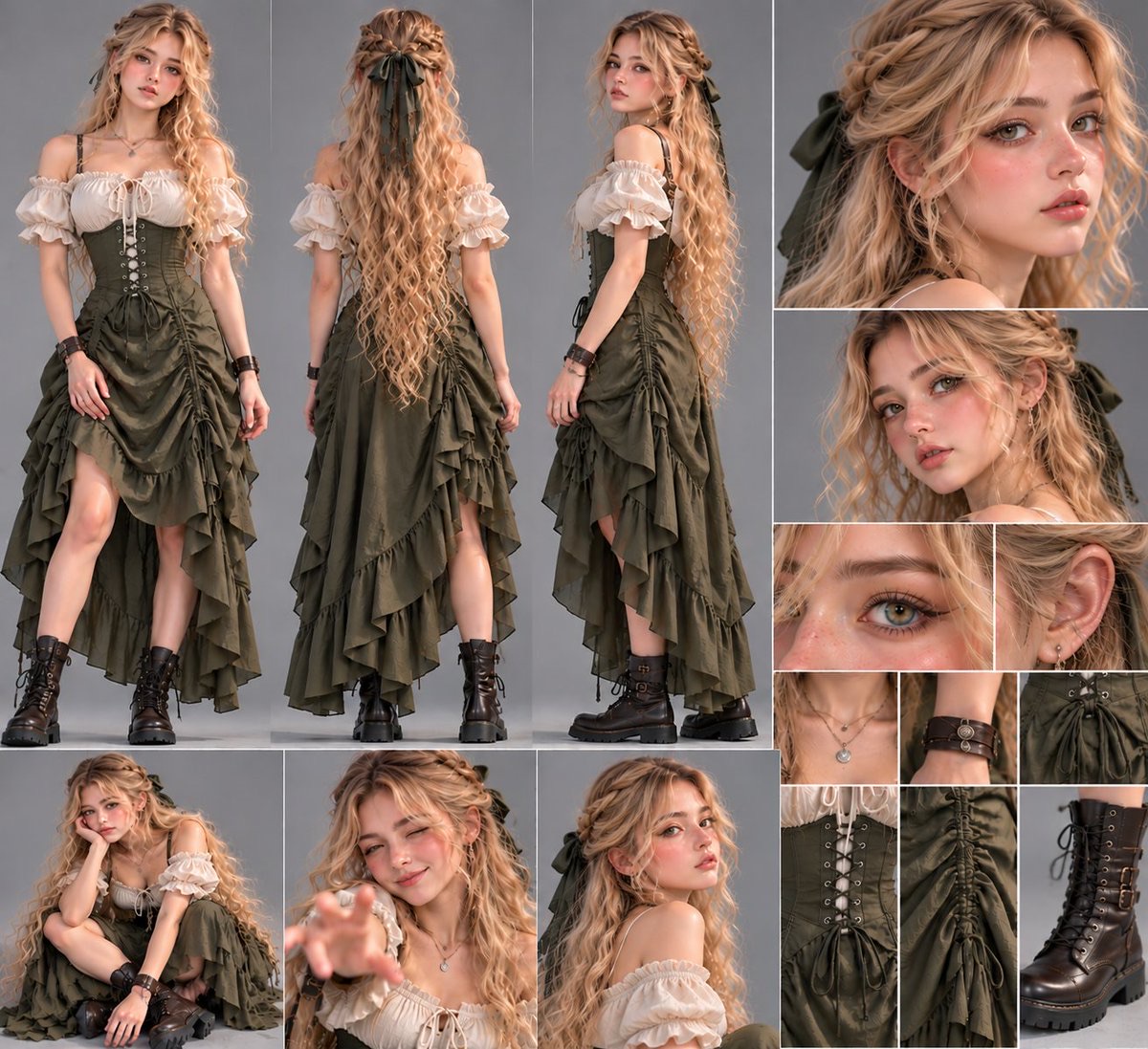
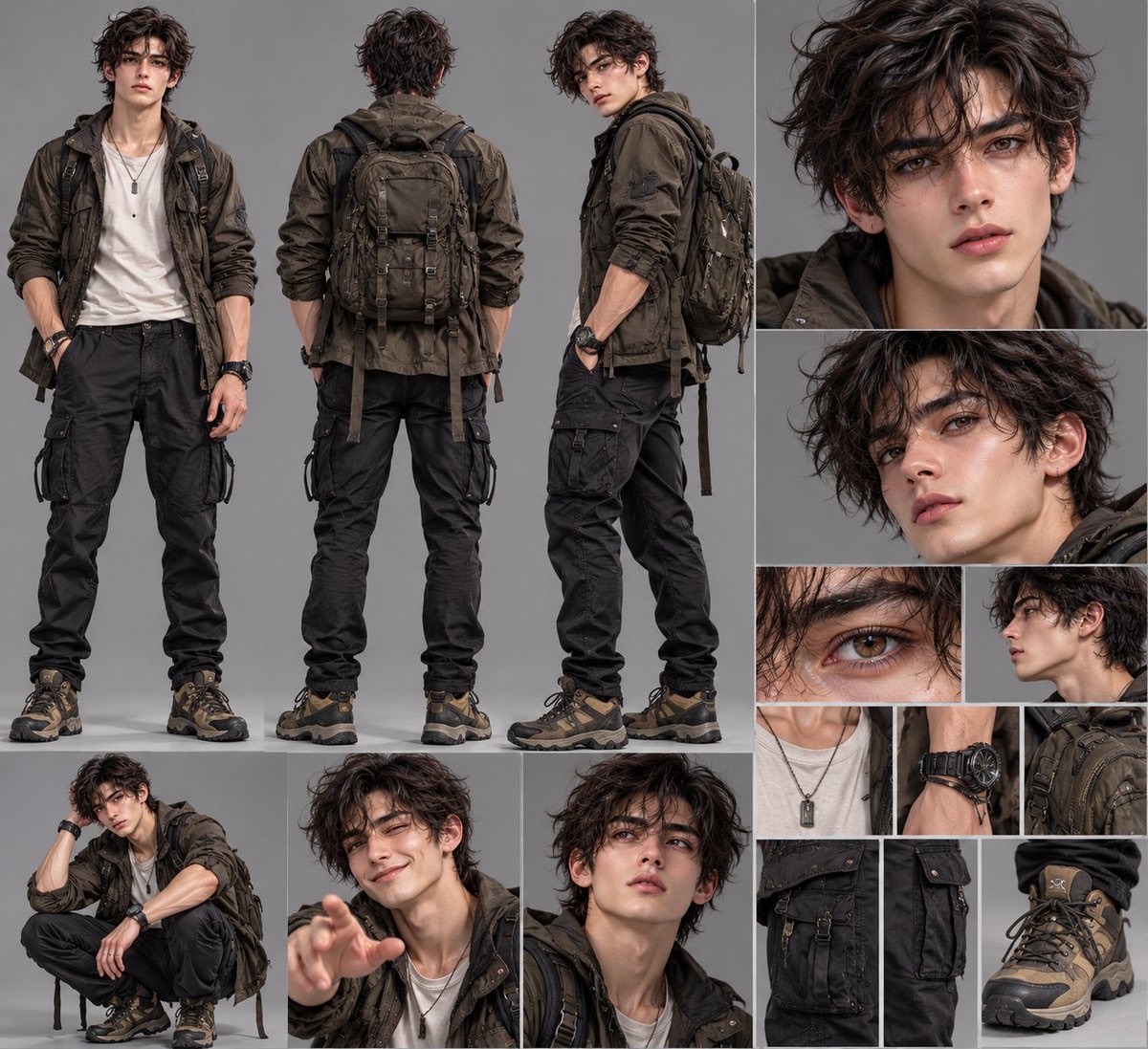
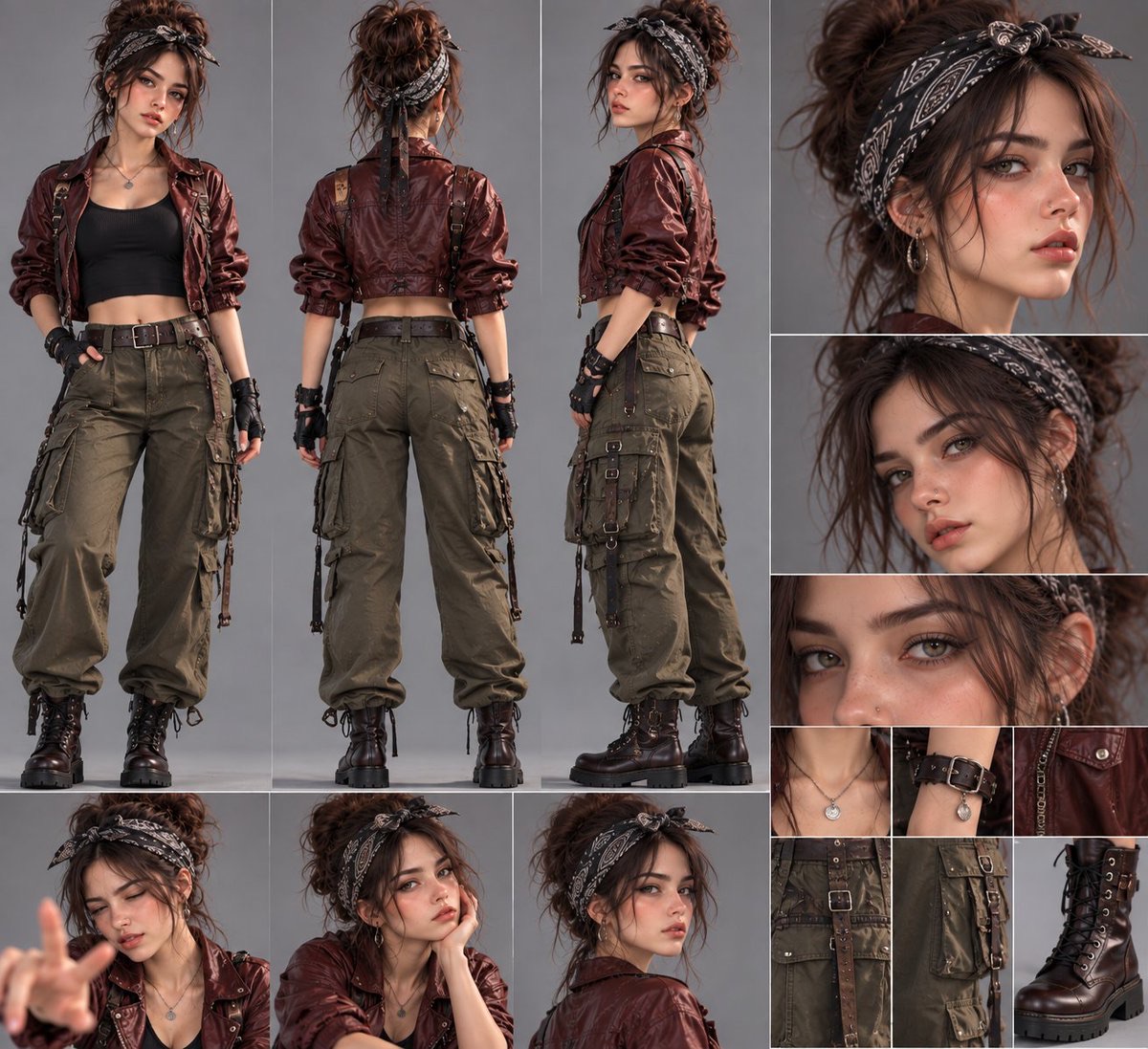
电影级角色设定表与服装细节图
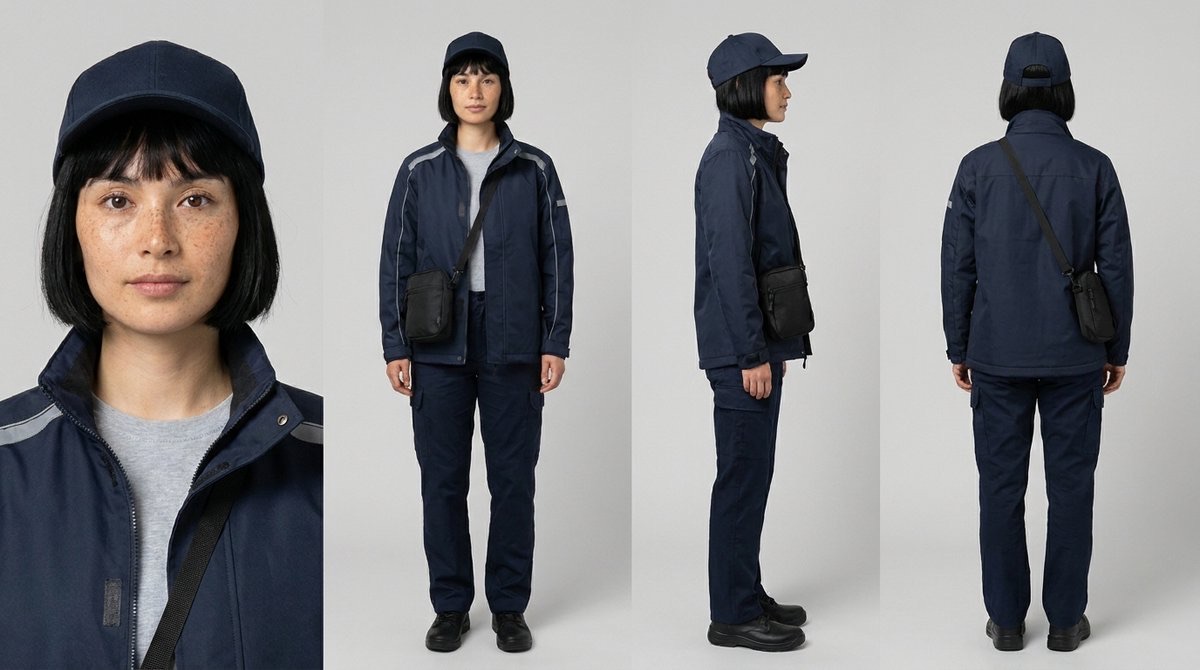
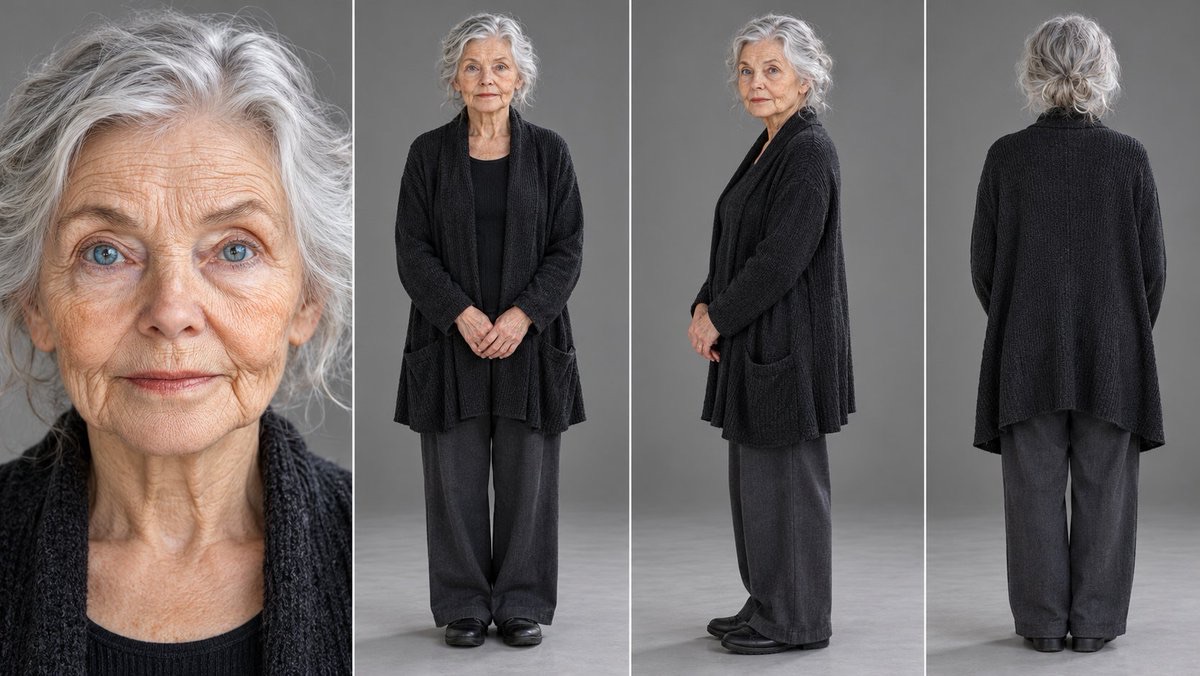
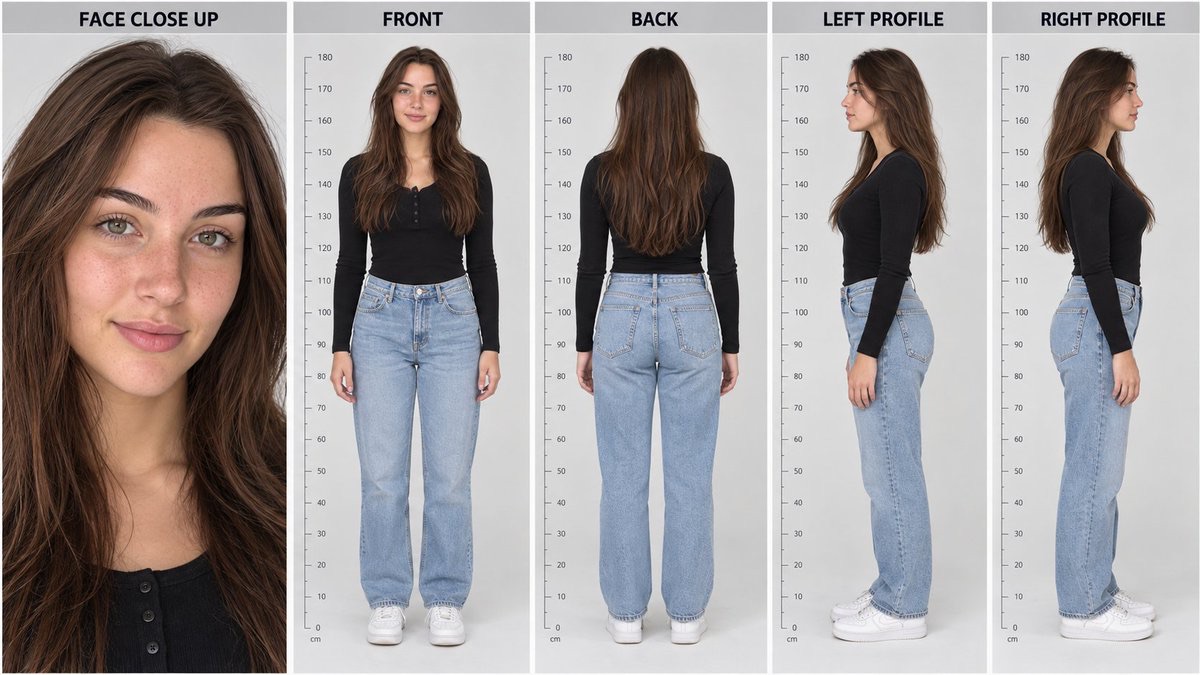
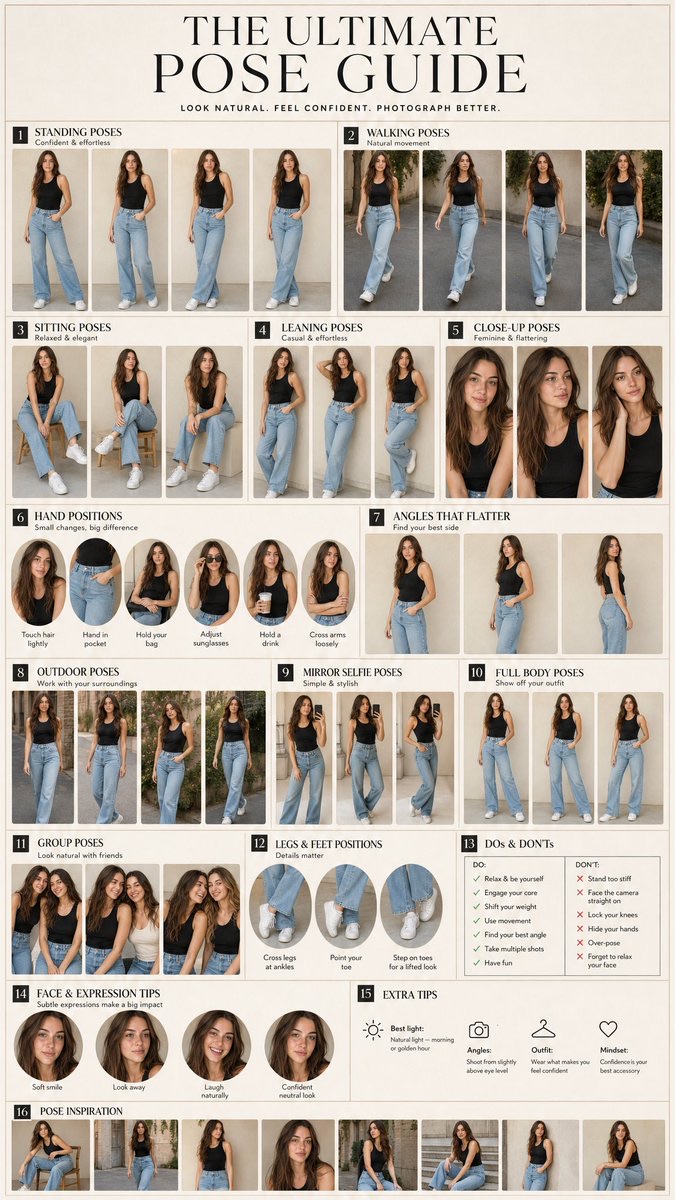
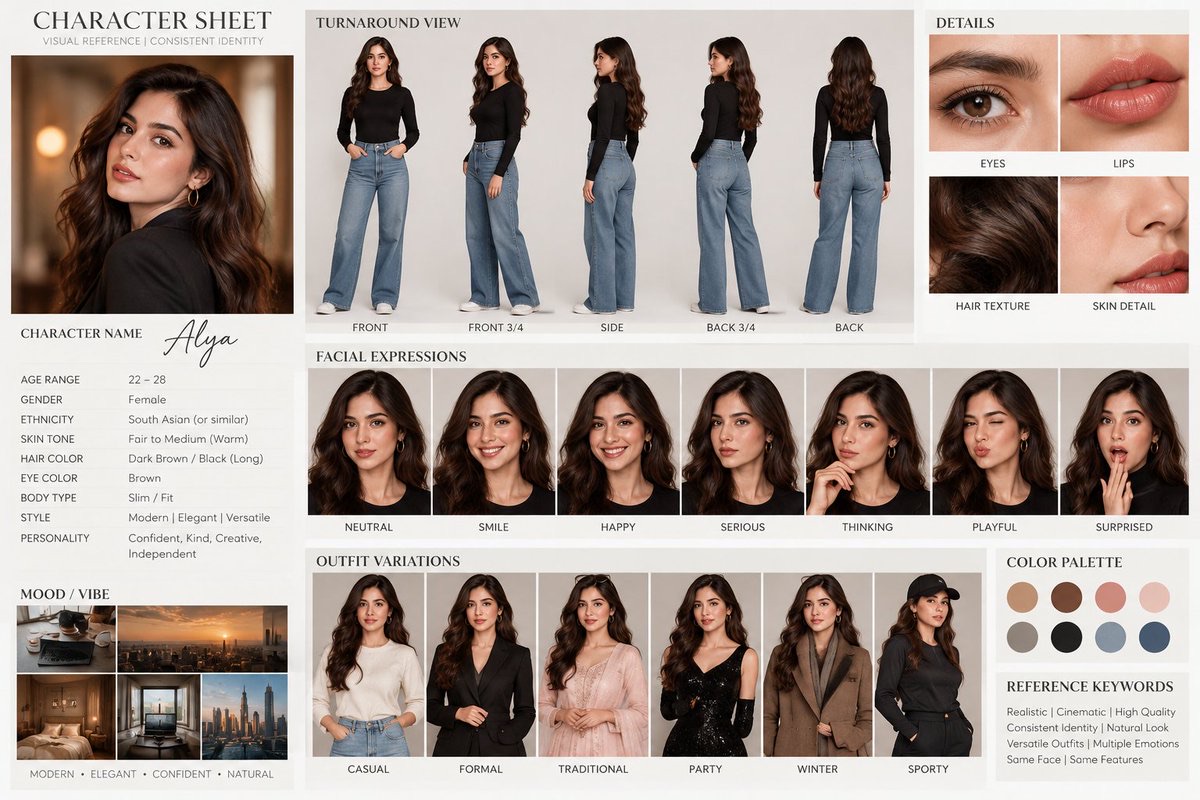
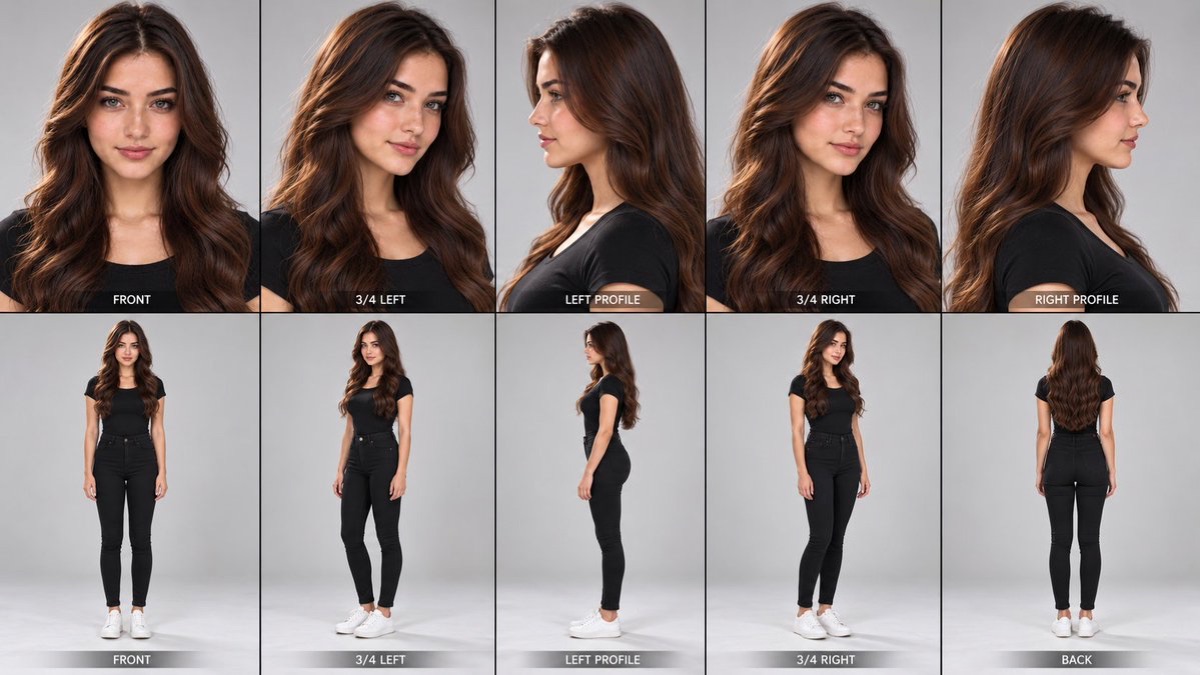
将一张角色参考图转化为横向多面板设定表,包含正背面全身视图、面部角度、表情姿态及服装配饰细节。
 M. Asif@meAsifAi
Prompt
通用电影感角色设定表——主提示词

任务:将上传的参考图像转换为高品质、照片级写实的角色设计与制作参考表。自动分析参考图,创建受专业电影、时尚和游戏角色开发设定表启发的综合多面板布局。

1. 绝对锁定角色身份

上传的参考图像是首要且权威的依据。

在每个面板中保留角色完全一致的身份和可辨认的外貌。

准确保留面部结构、眼形、鼻子、嘴唇、下颌线、肤色和外观年龄。
准确保留发型、发色、发际线和显著特征。
保留原有的身体比例、体型、身高给人的印象和解剖结构。
保留原有的服装设计、颜色、材质、配饰、珠宝、鞋履和造型。
如有纹身、疤痕、雀斑、穿孔饰品、眼镜或其他身份识别特征,应保留这些独特细节。

绝不要用长相相似的人替换该角色。不要随意重新设计其面部、服装、发型或身体。

2. 专业多面板布局

创建一张大型横向角色设定表,由多个清晰分隔的摄影面板组成。

A 区——全身角色视图

突出呈现三个全身视图:

正面视图:角色自然站立,面向镜头。
背面视图:角色背对镜头,完整展示服装和发型的背面。
四分之三侧面/侧面视图:角色转身约 45–90 度,展现侧面轮廓、身形剪影和服装结构。

从头部到鞋履完整展示角色。保持解剖结构、服装和身体比例一致。

B 区——面部肖像研究

加入同一角色的三到四张近景肖像,包括:

正面面部肖像。
四分之三侧面面部肖像。
侧面肖像。
突出眼睛、皮肤纹理和面部细节的特写。

每张肖像都要保持相同的面部身份、发型和配饰。使用真实的摄影细节,避免人工美颜滤镜般的皮肤。

C 区——自然表情与姿态

加入两到三张较小的电影感肖像或半身姿态图,展示适合该角色的自然变化:

平静、自信的表情。
淡淡的微笑或若有所思的表情。
另一个适合角色性格的自然姿态或表情。

表情不得改变角色的基本面部身份特征。姿态应真实且符合解剖结构。

D 区——服装与配饰细节网格

创建整齐的小幅高细节摄影裁切图网格,展示参考图中实际存在的物件:

领口、衣领和上身服装细节。
面料纹理、缝线、接缝、纽扣和拉链。
腰带、口袋、系带、搭扣和多层服装。
珠宝、手表、手套、包袋或其他配饰。
鞋子、靴子或其他鞋履。
独特的材质表面处理和表面细节。

只包含参考图中存在的相关物件。不要凭空创造配饰或添加新的服装元素。

对于全身角色,优先展示服装结构和鞋履。对于奇幻或非人类角色,将服装裁切图替换为相关的身体结构、鳞片、皮毛、盔甲、翅膀、角或其他标志性特征。

3. 自动分析参考图

在构图之前,分析上传的参考图,以确定:

角色类型和外观年龄。
面部和身体特征。
发型和显著特征。
服装层次、颜色、材质和配饰。
整体美学、性格和视觉风格。

自动调整细节面板的数量和类型以适应参考图,同时保持整体专业布局一致。

如果参考图中是男性、女性、儿童、老人、奇幻生物、机器人或动物,应保留其相应的原始设计,而不是套用通用的人类模板。

当细节被遮挡或不可见时,做出保守且视觉一致的推断。绝不要将凭空推断的隐藏细节呈现为参考图中已确认的信息。

4. 摄影风格与环境

整张设定表使用无缝的中性灰色影棚背景。

柔和、均衡的影棚布光。
逼真的接触阴影。
一致的肤色、材质颜色和光照。
清晰的面部细节和逼真的纹理。
自然的摄影景深和透视。
高品质电影感角色开发摄影。
使用细窄的中性边框,清晰、精确地分隔面板。

所有面板都必须看起来像是在同一次专业影棚拍摄中拍摄的同一角色照片。

5. 构图与面板层级

使用宽幅横向画布,并精心组织编辑式网格布局。

让三个全身视图合计占据最大的区域。
将面部肖像放在专门的垂直区域或右上方网格中。
将表情和其他姿态安排在较小的面板中。
将服装和配饰特写放入紧凑的细节网格。
保持面板对齐、分隔清晰,并尽量减少空间浪费。
确保重要的面部特征、双手、鞋履和服装细节清晰可见。

布局应类似专业电影制作角色参考板,而不是随意拼贴。

6. 严格的一致性要求

每个面板都必须呈现同一个角色。

保持身份完全一致、服装一致、配饰稳定、发型匹配、身体比例真实且光照协调。

避免换脸、眼睛颜色不一致、发型变化、服装不同、肢体重复、手部变形、解剖结构畸形、配饰不匹配、人工磨皮、过度模糊和视觉伪影。

不要添加无关角色、装饰元素、标志、水印或不必要的文字。

7. 最终输出

只生成一张完成的高分辨率角色参考表,包含:

三个全身视图。
多个面部角度。
自然的表情和姿态。
详细的服装与配饰网格。

根据上传的参考图智能调整构图,同时保留其原有身份和视觉设计。

分辨率锁定:以图像生成工具支持的最高分辨率生成最终图像,采用宽幅横向构图,支持时优先使用 16:9。优先保证清晰的面部细节、逼真的纹理、清晰的面板分隔和可用于制作的视觉质量。
UNIVERSAL CINEMATIC CHARACTER SHEET — MASTER PROMPT
TASK: Transform the uploaded reference image into a premium, photorealistic character design and production reference sheet. Automatically analyze the reference and create a comprehensive multi-panel layout inspired by professional film, fashion, and game character development sheets.
1. ABSOLUTE CHARACTER IDENTITY LOCK
The uploaded reference image is the primary and authoritative source.
Preserve the character's exact identity and recognizable appearance across every panel.
Exact facial structure, eye shape, nose, lips, jawline, skin tone, and apparent age.
Exact hairstyle, hair color, hairline, and distinctive features.
Original body proportions, physique, height impression, and anatomy.
Original clothing design, colors, materials, accessories, jewelry, footwear, and styling.
Preserve unique details such as tattoos, scars, freckles, piercings, glasses, or other identifying features when present.
Never replace the character with a similar-looking person. Do not randomly redesign the face, outfit, hairstyle, or body.
2. PROFESSIONAL MULTI-PANEL LAYOUT
Create ONE large, landscape-oriented character sheet composed of multiple cleanly separated photographic panels.
SECTION A — FULL-BODY CHARACTER VIEWS
Feature three prominent full-body views:
FRONT VIEW: Character standing naturally and facing the camera.
BACK VIEW: Character facing directly away from the camera, showing the complete rear outfit and hairstyle.
THREE-QUARTER / SIDE VIEW: Character turned approximately 45–90 degrees, revealing the profile, silhouette, and clothing construction.
Show the entire character from head to footwear. Maintain consistent anatomy, clothing, and proportions.
SECTION B — FACIAL PORTRAIT STUDIES
Include three or four close-up portraits of the same character, featuring:
Front-facing facial portrait.
Three-quarter facial angle.
Side-profile portrait.
Extreme close-up emphasizing the eyes, skin texture, and facial details.
Maintain the same facial identity, hairstyle, and accessories in every portrait. Use realistic photographic detail rather than artificial beauty-filter skin.
SECTION C — NATURAL EXPRESSIONS & POSES
Include two or three smaller cinematic portraits or half-body poses showing natural variations appropriate to the character:
Neutral, confident expression.
Subtle smile or thoughtful expression.
One additional natural pose or expression suitable for the character's personality.
Expressions must not change the character's underlying facial identity. Keep poses realistic and anatomically correct.
SECTION D — OUTFIT & ACCESSORY DETAIL GRID
Create a neat grid of small, high-detail photographic crops featuring the actual items present in the reference:
Neckline, collar, and upper clothing details.
Fabric texture, stitching, seams, buttons, and zippers.
Belts, pockets, straps, buckles, and layered garments.
Jewelry, watches, gloves, bags, or other accessories.
Shoes, boots, or other footwear.
Distinctive material finishes and surface details.
Only include relevant items that exist in the reference. Do not invent accessories or add new clothing elements.
For full-body characters, prioritize clothing construction and footwear. For fantasy or non-human characters, replace clothing crops with relevant anatomy, scales, fur, armor, wings, horns, or other defining features.
3. AUTOMATIC REFERENCE ANALYSIS
Before composing the image, analyze the uploaded reference to determine:
Character type and apparent age.
Facial and physical characteristics.
Hairstyle and distinguishing features.
Clothing layers, colors, materials, and accessories.
Overall aesthetic, personality, and visual style.
Automatically adapt the number and type of detail panels to suit the reference while maintaining the same overall professional layout.
If the reference contains a male character, female character, child, elderly person, fantasy creature, robot, or animal, preserve the appropriate original design rather than applying a generic human template.
When details are hidden or not visible, make conservative, visually consistent interpretations. Never present invented hidden details as verified reference information.
4. PHOTOGRAPHIC STYLE & ENVIRONMENT
Use a seamless neutral gray studio background throughout the sheet.
Soft, balanced studio lighting.
Realistic contact shadows.
Consistent skin tones, material colors, and lighting.
Sharp facial details and lifelike textures.
Natural photographic depth and perspective.
Premium cinematic character-development photography.
Clean, precise panel divisions with thin neutral borders.
All panels must look like photographs of the same character taken during one professional studio session.
5. COMPOSITION & PANEL HIERARCHY
Use a wide landscape canvas with a carefully organized editorial grid.
Give the three full-body views the largest combined area.
Place facial portraits in a dedicated vertical section or upper-right grid.
Arrange expressions and alternate poses in smaller panels.
Place outfit and accessory close-ups in a compact detail grid.
Keep panels aligned with clear separation and minimal wasted space.
Ensure important facial features, hands, footwear, and costume details remain visible.
The layout should resemble a professional film-production character reference board, not a random collage.
6. STRICT CONSISTENCY REQUIREMENTS
Every panel must represent the SAME character.
Maintain exact identity, consistent clothing, stable accessories, matching hairstyle, realistic body proportions, and coherent lighting.
Avoid face swapping, inconsistent eye colors, changing hairstyles, different outfits, duplicated limbs, distorted hands, malformed anatomy, mismatched accessories, artificial skin smoothing, excessive blur, and visual artifacts.
Do not add unrelated characters, decorative elements, logos, watermarks, or unnecessary text.
7. FINAL OUTPUT
Generate exactly ONE finished, high-resolution character reference sheet containing:
Three full-body views.
Multiple facial angles.
Natural expressions and poses.
A detailed outfit and accessory grid.
Adapt the composition intelligently to the uploaded reference while preserving its original identity and visual design.
RESOLUTION LOCK: Generate the final image at the highest resolution supported by the image-generation tool, using a wide landscape composition, preferably 16:9 when supported. Prioritize sharp facial details, realistic textures, clean panel divisions, and production-ready visual quality.
使用建议
使用建议:上传清晰的角色参考图;适合需要统一角色身份、服装结构和材质细节的影视、游戏或时尚概念设计。