Image
A Cardboard World Color-Matched to the Outfit
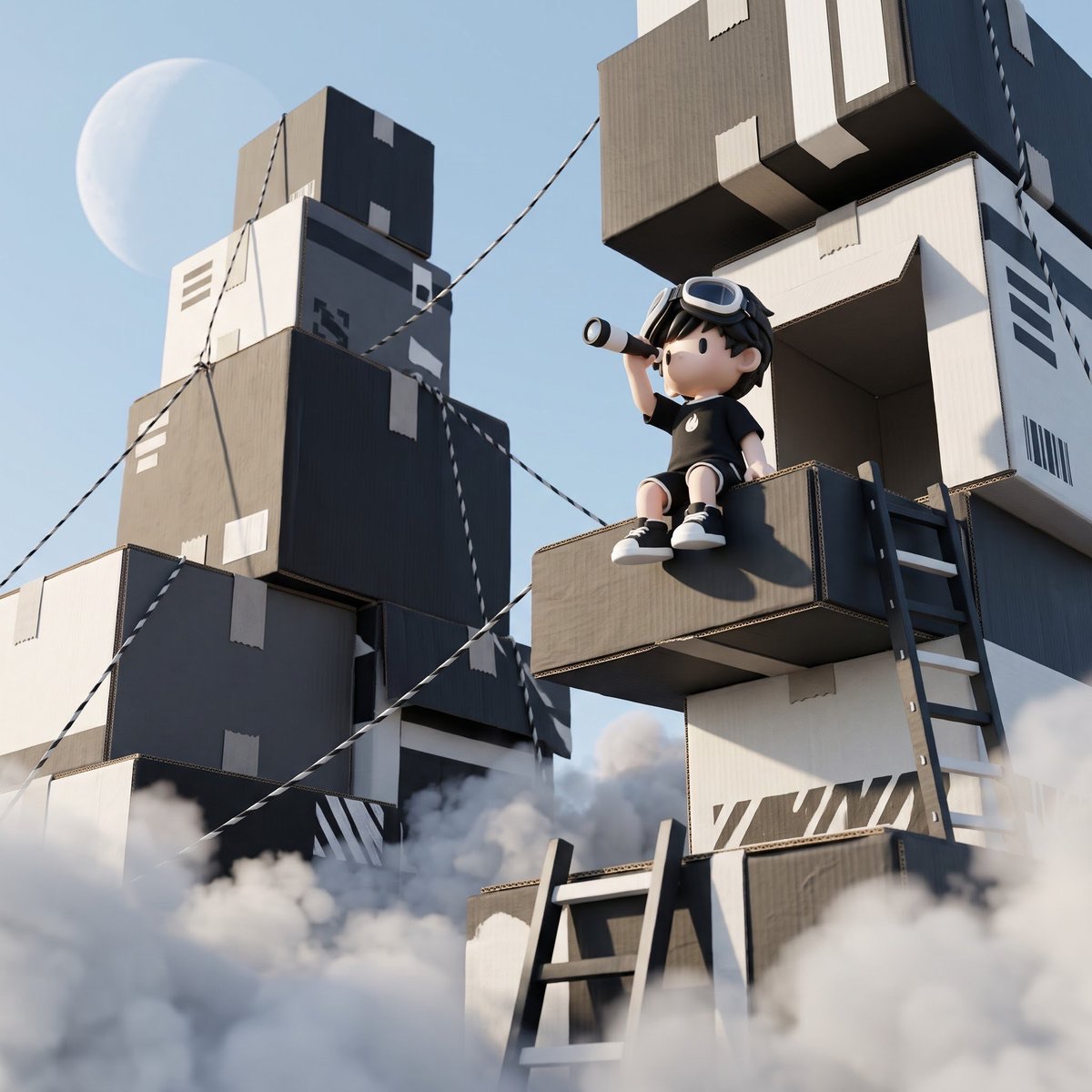
Combine a character reference image with a reference image of a cardboard world, preserving the character and original composition while rebuilding the environment's color palette around the outfit's main colors to create a cinematic 3D scene from a low camera angle.
 sperk@sperkhq
Prompt
800 × 800 PX — CINEMATIC 3D CARDBOARD WORLD

Use the first reference as the exact environment/composition reference and the second as the exact character identity, face, hairstyle, glasses, body proportions and outfit reference.

Recreate the enormous stacked cardboard-box world without changing its original arrangement, dimensions, perspective or structure. Keep the elevated protruding box where the character sits, the surrounding boxes, two ladders, diagonal ropes, blue sky, pale circular moon and white clouds around the lower structures.

COLOUR RULE: Study the character's actual outfit and automatically use its dominant and secondary colours throughout the entire environment. Recolour every cardboard box, ladder, rope, seam and decoration to match. Do not introduce unrelated dominant colours. NEVER change the character's outfit.

Keep the character completely unchanged: face, skin tone, head size, hair, glasses, lips, body proportions and original 3D appearance. No redesign, beautification or alterations.

Position him sitting on the same elevated box, legs hanging over the edge, one hand holding a small telescope near his eye while looking upwards, and the other resting naturally on the box.

Preserve the original low-angle ground-level camera looking upwards, exact environmental layout, natural sunlight, realistic cardboard textures, detailed 3D rendering, cinematic shadows and atmospheric foreground fog.

STRICT RULE: The character and outfit remain untouched. The environment alone changes colour to harmonise with his actual clothing. Do not rearrange, remove or redesign anything.
How to use
Usage suggestion: Prepare one reference image for the environment composition and another for the character identity and outfit, upload them in that order, then adjust the canvas size or character pose as needed.