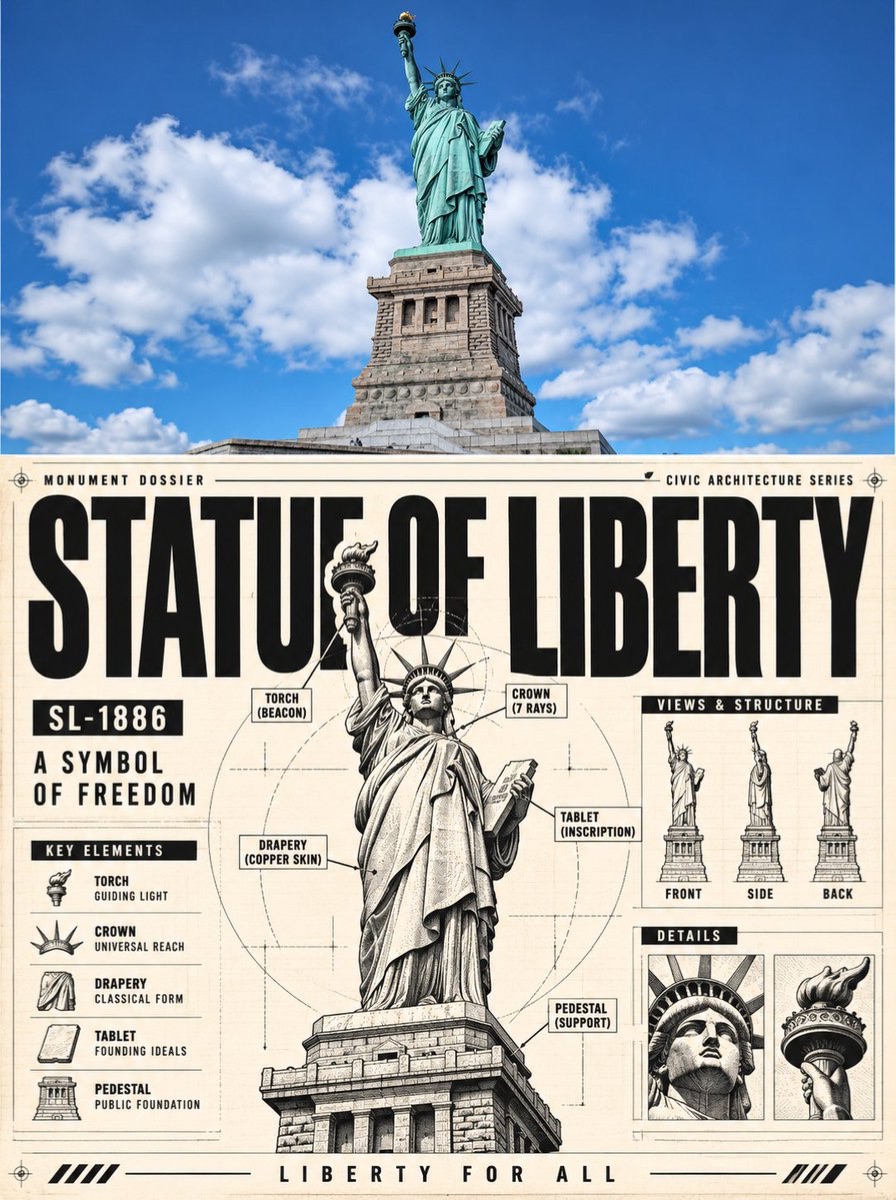
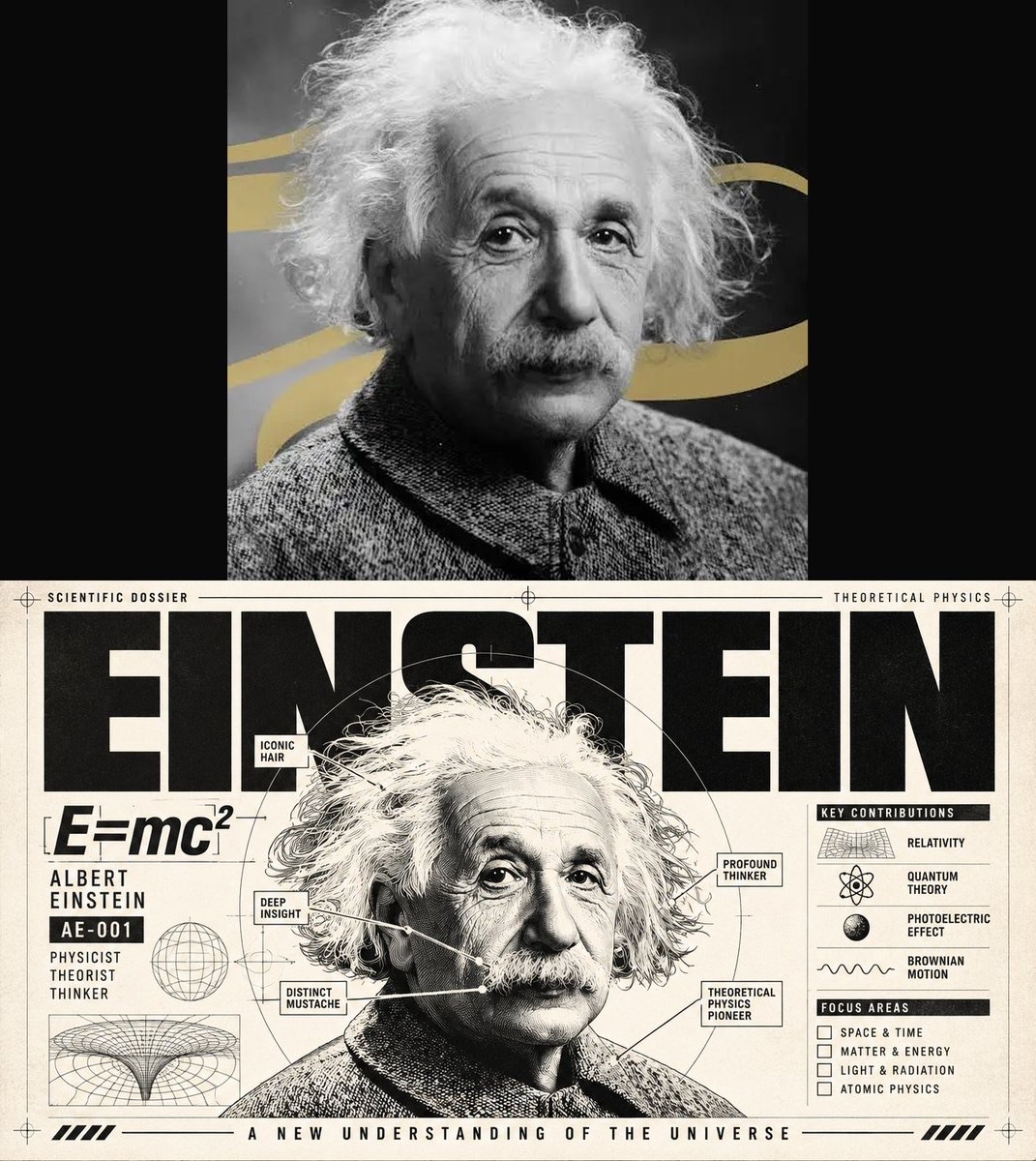
Image · GPT
原图转技术档案海报
保留上传照片并将同一主体重绘为带标题、标注和辅助图的技术档案版式,结构层次清晰。
 Gadgetify@Gdgtify
Prompt
INPUT: one uploaded photograph

Create a single vertical before-and-after diptych from the uploaded image.

The canvas must be divided into exactly two equal horizontal halves with no gap, border, divider, separator, or label between them.

TOP HALF — ORIGINAL IMAGE

Place the uploaded photograph in the top half completely unchanged.

Do not:

crop it
recolor it
retouch it
add text
add graphics
add overlays
alter its framing

The full original image must remain intact.

ANALYZE THE PHOTO

Identify:

the main subject or dominant subject group

whether it is a person, animal, product, object, vehicle, machine, building, landscape, food, abstract subject, or another category
its most recognizable silhouette
pose, stance, orientation, or facing direction
major geometric masses and proportions
visible surfaces and materials
important environmental elements
identity-critical details
visible components or functional regions
useful negative-space areas for typography and annotations
the image's native tones
one concise technical or editorial concept grounded in the subject
Use this analysis to determine the design of the lower panel.

BOTTOM HALF — TECHNICAL HERO DOSSIER

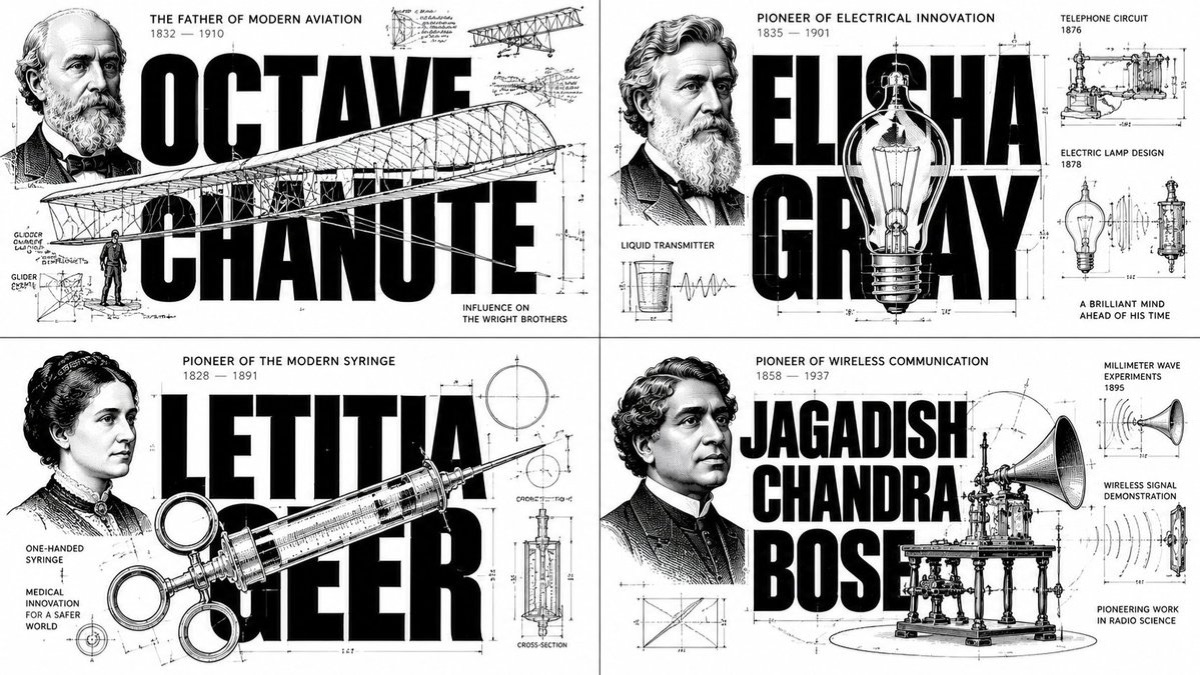
Transform the same subject into a premium technical poster, engineering dossier, product-specification board, or museum-grade launch sheet.

The transformed subject must remain clearly recognizable.

Preserve:

subject identity

silhouette

pose or stance
major proportions
key defining features
Simplify or remove unnecessary background clutter so the lower panel functions as a clean technical composition.
VISUAL STYLE

Use:

warm off-white paper

deep black ink

pale gray drafting lines
subtle paper grain
faint print wear
high-detail monochrome rendering
controlled studio-style lighting
The overall mood should feel:
precise, premium, industrial, authoritative, inspectable, and museum-grade.

Avoid:

bright full color

cartoon rendering

painterly softness
casual photographic styling
unrelated futuristic decoration
HERO SUBJECT
Place the transformed subject as the dominant central or center-right element.

Render it like a high-end engineering concept illustration using:

clean grayscale shading

fine crosshatching or stippling

precise contour detail

strong material definition
restrained technical linework
Even organic subjects should receive the visual discipline of an engineering study without being made mechanically inaccurate.
The hero may overlap typography, grids, diagrams, and construction lines.
MONUMENTAL HEADLINE

Generate a short uppercase headline derived from the subject's name, category, or core identity.

Set it in massive ultra-bold condensed sans-serif typography.

The headline should:

dominate the upper area of the lower panel

sit behind and around the hero subject

function like architectural structure

remain readable even when partially overlapped

be the second strongest visual element after the subject
Also generate:
one short model-like code, version marker, or edition identifier
one concise 2–4 word technical descriptor
Place these as secondary information blocks.

Do not invent false product names or misuse real brands.

TECHNICAL CALLOUTS
Generate approximately 6–10 short annotations based only on visible, meaningful traits of the subject.

Use:

thin leader lines

tiny uppercase labels

compact technical captions

Every line must point to an actual visible feature.

Do not:

cover important parts of the subject
create unsupported hidden mechanisms
overload the panel with labels

use nonsense engineering jargon

SPECIFICATION COLUMN

Create a narrow technical specification column with approximately 5–8 headings.
Possible categories may include:
category
configuration

structure

surface

mobility

behavior

adaptability
application
Values should be qualitative or approximate unless something is clearly visible.
Never fabricate:
exact dimensions
engineering tolerances
dates
performance numbers

technical claims

The column should read like a real dossier, not fake science.

SUPPLEMENTAL DIAGRAMS
Add a small set of supporting views where relevant.
Possible views include:
Orthographic View
A simplified front, side, top, or silhouette view drawn with thin technical lines.

Sequential Study

A small strip showing:

posture progression

range of motion

repeated stance

usage sequence
locomotion

positional changes
Adapt this to the subject category.

Exploded or Component View
If the subject can genuinely be decomposed into meaningful parts, show a compact exploded diagram or component breakdown.
Do not force an exploded view onto subjects where it makes no sense.
Supporting diagrams must remain secondary to the hero render.
TECHNICAL OVERLAY
Add a restrained engineering-construction system using:

alignment grids

crosshairs
circle guides

dimensional brackets

registration ticks

construction arcs

axis lines

subtle border geometry

Keep all overlay lines extremely thin and light.
Their job is to reinforce the engineering-board aesthetic, not create visual clutter.
SUBJECT-SPECIFIC ADAPTATION
Adapt the lower panel intelligently.
If the subject is a person:
Treat it as an elite field-unit dossier, performance profile, apparel study, or posture breakdown.
Preserve facial identity, body stance, and clothing silhouette.
Use pose studies, gear callouts, or silhouette views.

If the subject is an animal:

Treat it as a specimen-platform, adaptive-biology dossier, or locomotion study.

Preserve anatomy, gait, head shape, fur, markings, or pattern identity.

Use profile studies, gait progression, or simplified anatomical diagrams.

If the subject is a vehicle or machine:

Use a full technical product-board system with component callouts, alternate views, and appropriate exploded subassemblies.
If the subject is architecture:

Use an architectural-sheet system with facade notes, elevations, sections, footprint diagrams, or spatial studies.

If the subject is a product:

Use a premium product-launch board with detail callouts, feature diagrams, and component views.
If the subject is a landscape:

Use a terrain or site dossier with contour logic, landmark callouts, topographic simplification, and sectional profiles.

If the image is visually dense:

Reduce complexity in this order:
remove the exploded view

remove the smallest micro-annotations
remove a secondary inset

Always preserve:
hero subject

giant headline
major callouts

one or two useful support diagrams
FOOTER

Add one short archival-style or brand-style concluding line along the lower edge.
Use small uppercase technical sans-serif typography and optionally a thin rule.
Keep it concise and grounded in the subject.

FINAL COMPOSITION

The lower panel should contain:
warm off-white technical paper
monumental headline
transformed hero subject

subject code

technical descriptor

meaningful callouts

specification column

restrained drafting geometry

one or more relevant diagrams

concise footer

Maintain generous intentional negative space.

The hierarchy should be:
1. Hero subject
2. Giant headline
3. Main callouts
4. Supporting technical information
At thumbnail size, the subject and headline must register immediately.
FINAL OUTPUT RULES
The completed image must satisfy all of the following:
exactly two equal horizontal panels
original uploaded photograph unchanged on top
transformed technical dossier version below
no border, gap, divider, or separator between panels
subject remains clearly recognizable in the lower panel

lower panel stays within an off-white, black, and gray technical-print palette

monumental typography is clearly present

annotations, specs, and diagrams form one coherent design system
no fabricated factual claims
no meaningless technical jargon
no visual clutter overwhelming the hero subject

The final result should feel like:

original photograph above + premium engineering dossier below

with the lower image resembling a fusion of:

industrial design board × technical product poster × museum archive sheet × engineering concept render.
How to use
上传一张主体清楚的照片,生成上方原图、下方技术档案海报的竖版双联图。