Image
Handwritten Signature Instant Photo
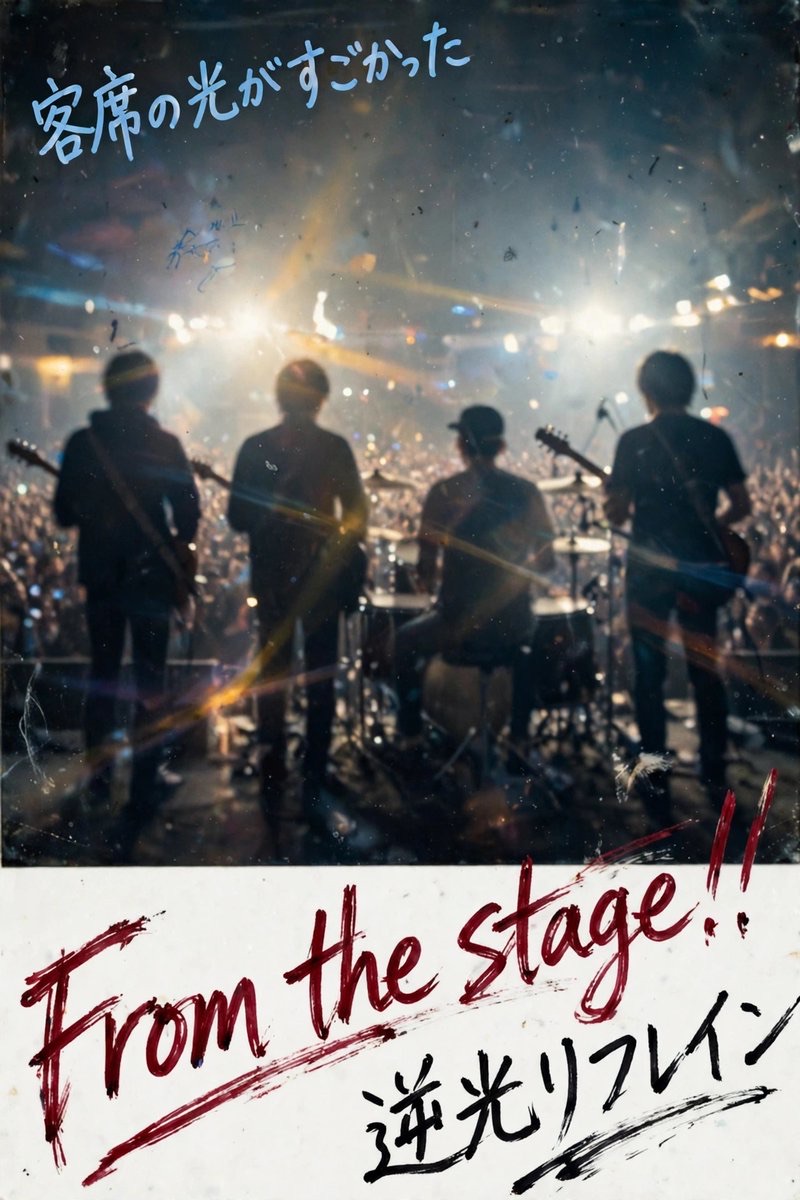
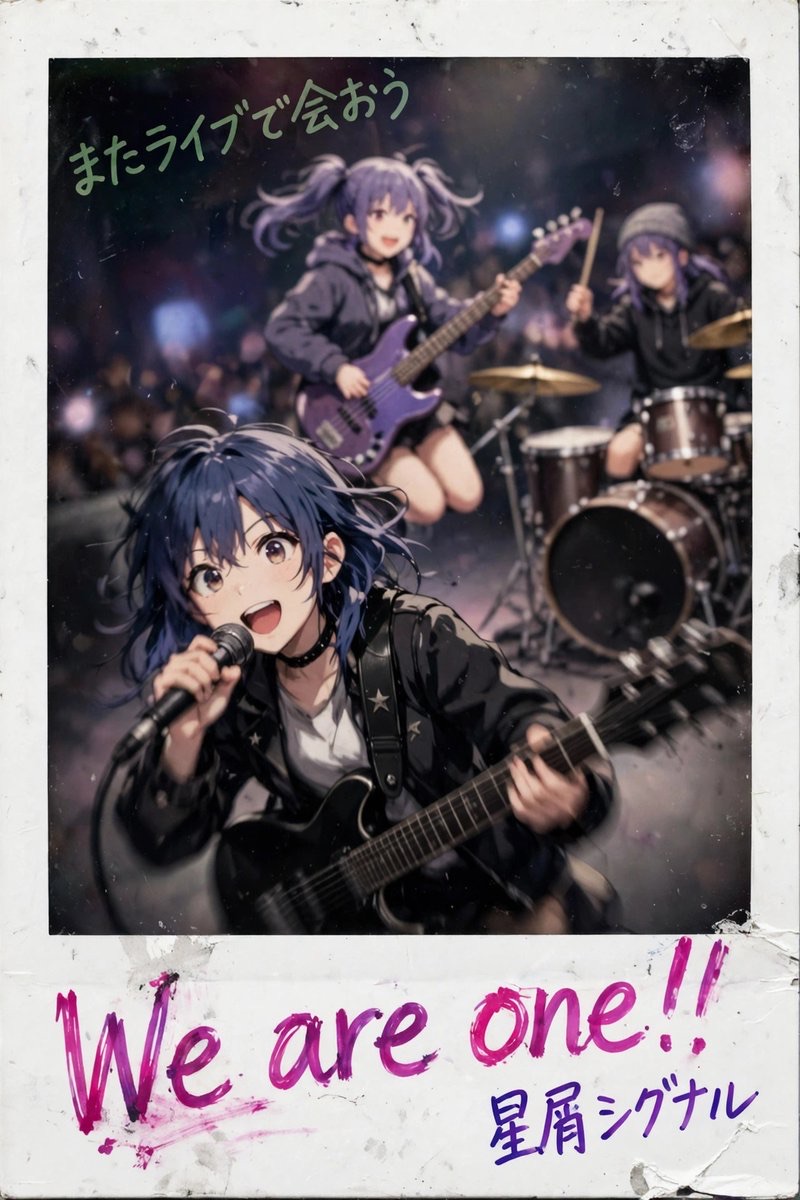
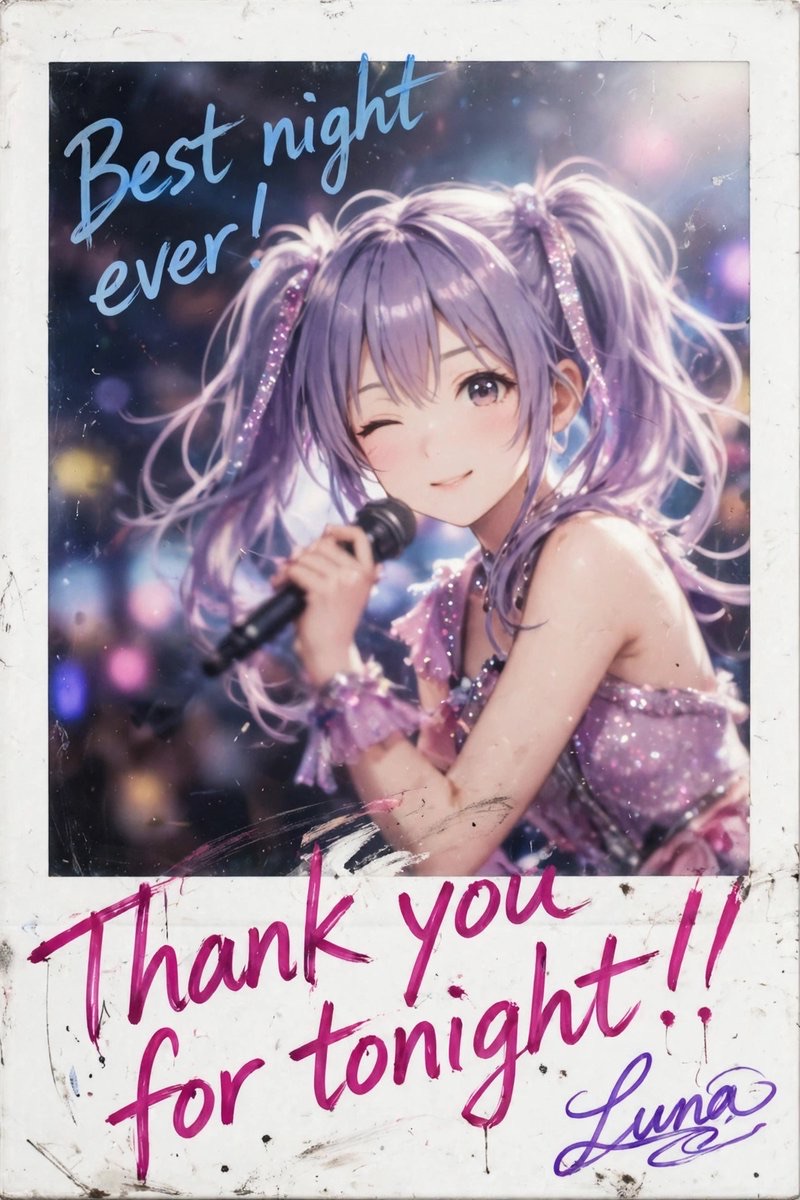
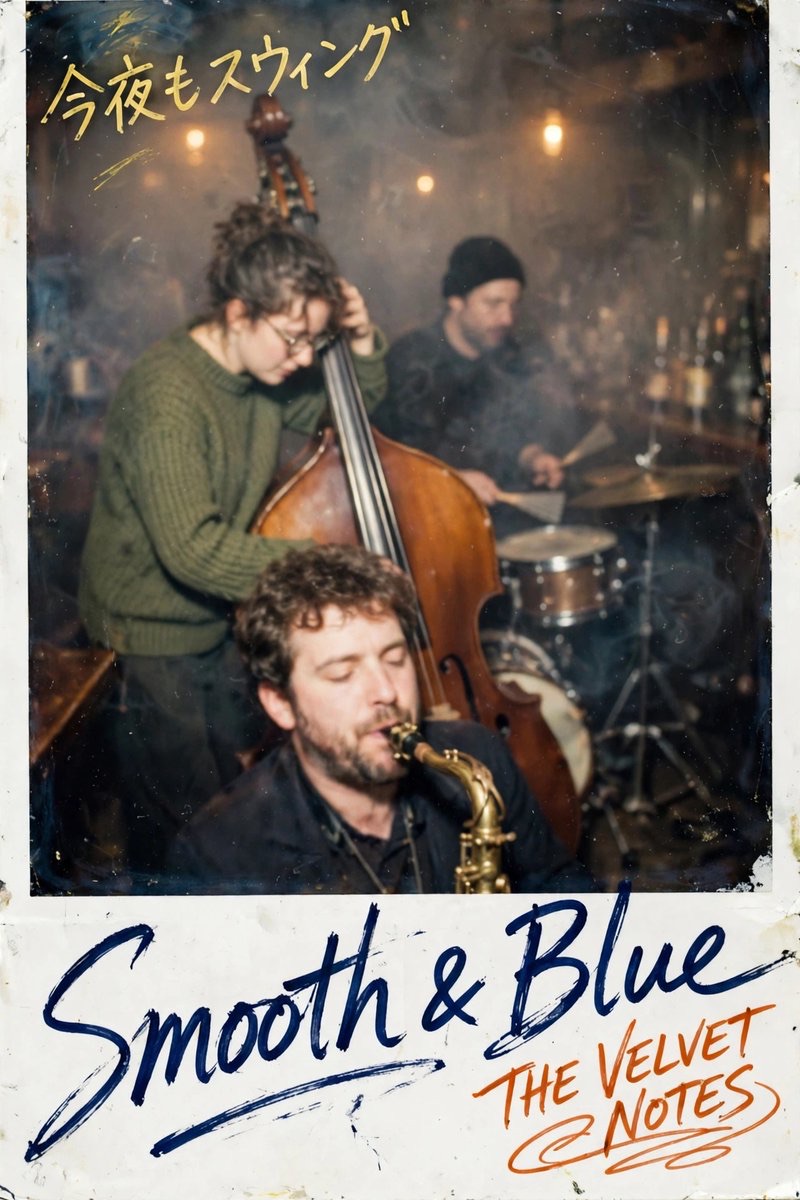
Turn the reference subject into a commemorative instant photo with a thick white border, glossy flash effects, and multiple handwritten messages, suited to personalized event merchandise.
 【公式】天ROCK FEST運営@1069official
Prompt
Use the uploaded reference image as the subject reference.
Generate a signed instant-film snapshot of the same character or subject shown in the reference image. Preserve the subject’s recognizable visual features, hairstyle, face structure, body proportions, outfit design, accessories, visible markings, main prop, color placement, and pose relationship from the reference image.
The final image must be a vertical 2:3 aspect ratio image.
Make it appear as a physical artist merchandise instant photo: direct camera flash, soft focus, low-resolution instant film texture, compressed contrast, slight motion softness, glossy photo surface, dust specks, small scratches, mild color shift, dark edge falloff, and a thick white instant-photo frame.
Keep the subject centered and dominant. Keep the original scene type from the reference image, but make the background slightly blurred and lower in detail. Preserve the original lighting mood while adding a subtle instant-camera flash effect.
Create a large bottom white border, occupying about 24–30% of the full image height. Use this bottom border mainly for handwritten text, but allow long handwritten text to naturally extend upward into the photo area if needed. If text extends into the photo area, it may overlap the subject, clothing, prop, or background, but it should not completely cover the subject’s face.
Add three separate handwritten text elements:
1. COMMENT_1:
Write “メインコメント” as the largest handwritten message, mainly across the bottom white border. Make it large, energetic, and dominant. It may extend slightly into the photo area if the text is long. Use “メインコメントの色” marker ink.
2. ARTIST_NAME:
Write “アーティストネーム” near COMMENT_1, slightly smaller than COMMENT_1, about 70–85% of the COMMENT_1 size. Make it look like a fast artist autograph, with heavier stylization than ordinary handwriting. Use “アーティストネームの色” marker ink.

3. COMMENT_2:
Write “画面上部コメント” in the upper part of the image, over the photo area rather than the bottom border. Place it near the top edge or upper corner, with a casual handwritten angle. It may overlap the background or the outer edge of the subject, but it should not fully hide the face. Use “画面上部コメントの色” marker ink.

4. Event text "天 ROCK FEST THE COUNTDOWN 26-27": A single, small line in the bottom-left corner of the white border. Uses a clear, legible, non-stylized block typeface. Color: black.

For all handwritten text, make the letters heavily stylized and energetic: fast connected strokes, long sweeping tails, sharp angle changes, looped cursive forms, uneven ink pressure, compressed characters, partial character overlap, slight diagonal movement, and irregular spacing. For Japanese text, use loose sosho-style brush handwriting with connected, abbreviated strokes. For English text, use loose cursive marker handwriting. For other languages, use connected, slanted handwritten strokes with varied pressure.
The handwriting must look physically written with colored marker ink directly on the instant photo surface and white border, not digitally overlaid. Include imperfect ink edges, slight smudging, pressure variation, and natural hand movement.
If a color placeholder is not specified, use black marker ink as the default.
Avoid typed fonts, clean digital captions, perfect typography, printed logos, watermarks, extra people, unrelated clothing changes, unrelated background replacement, excessive sharpness, and perfectly readable block letters.
How to use
Replace the messages, signatures, and color content, then upload a character or person reference image to generate a personalized keepsake photo.
Details
- Type
- Image
- Source
- 【公式】天ROCK FEST運営
- License
- Source-author-rights
- Published