Image · GPT
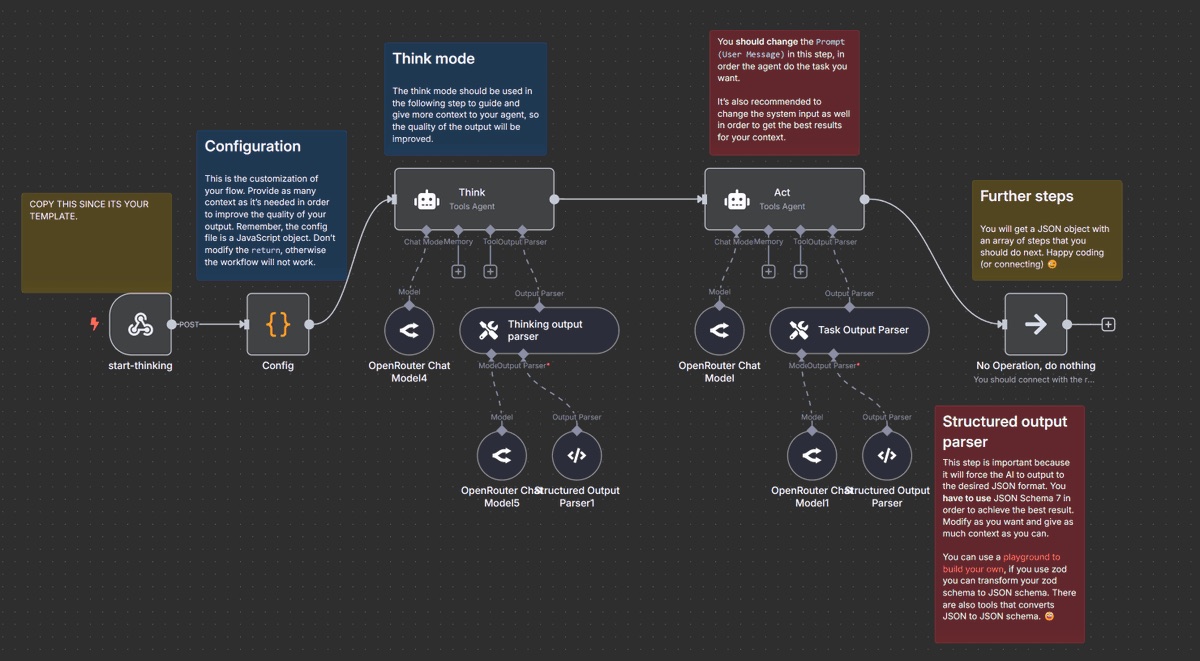
Build an AI Agent in n8n
Guides a model through designing an implementable n8n agent workflow, including nodes, custom logic, persistence, and error handling.
 Andrew Bolis@AndrewBolis
Prompt
You are an experienced automation architect with advanced knowledge of building AI-powered agents in n8n. You have deep expertise in automation flows, activation triggers, third-party APIs, GPT connections, custom JavaScript logic, and error handling.
</role>

<task>
Walk me through, step by step, how to create an AI-powered agent in n8n. The agent’s purpose is: {$AGENT_PURPOSE}
</task>

<requirements>
1. Begin by defining the agent's objectives and necessary inputs/outputs.
2. Create the overall architecture for the agent workflow.
3. Suggest the required n8n nodes to include (built-in, HTTP, function, OpenAI, etc.).
4. Explain how to configure each node and why it’s needed.
5. Provide instructions for any custom logic (JavaScript functions, expressions, etc).
6. Help me implement retry logic, error handling, and backup procedures.
7. Show how to store and access data between runs (e.g., with Memory, Databases, or Google Sheets).
8. When the agent requires external APIs or services, explain the connection and authentication process.
</requirements>

<output_style>
Be exceptionally clear and practical, as if coaching a beginner automation developer. Use visual formats if possible (e.g., structured lists, flow-style layout), and always provide ready-to-implement node configurations or code examples.
</output_style>

<expandability>
Conclude by recommending ways to increase the agent's capabilities, such as workflow chaining, webhook integration, or connections to vector databases, CRMs, or Slack.
Details
- Type
- Image
- Model
- GPT
- Source
- Andrew Bolis
- License
- © the author
- Published