Image · GPT Image 2.5
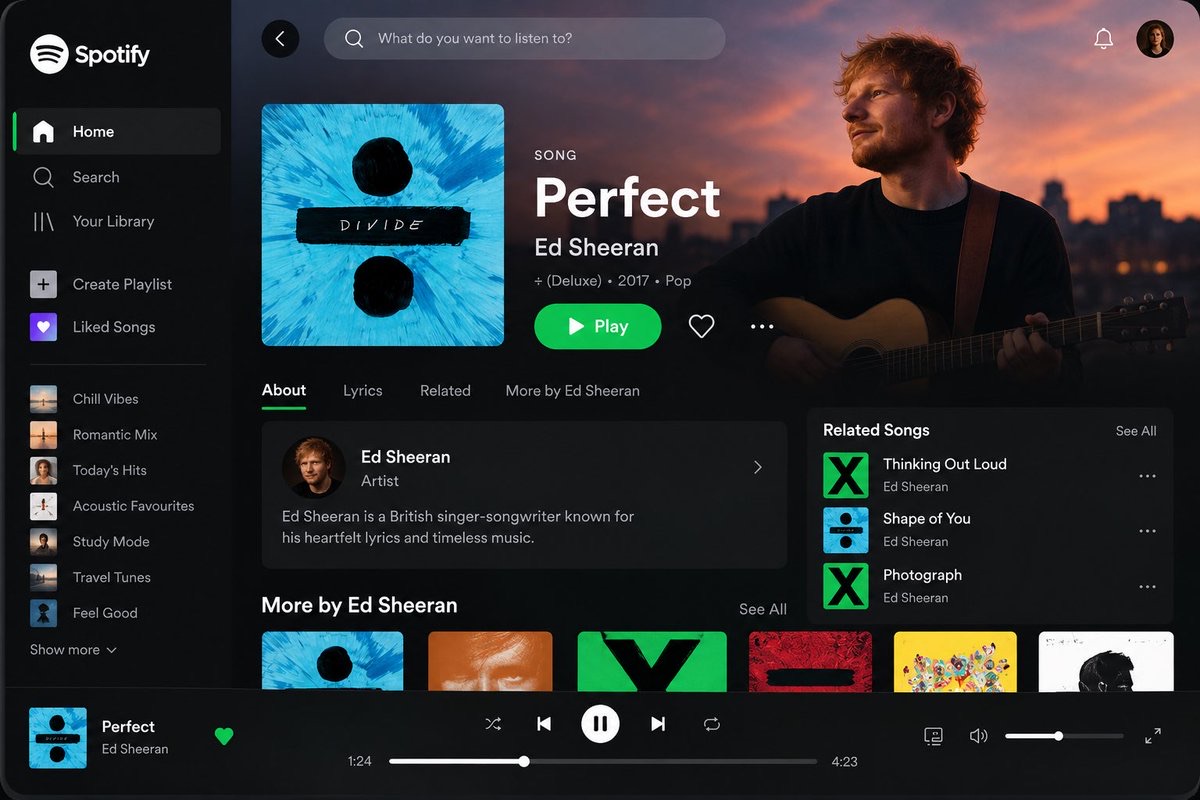
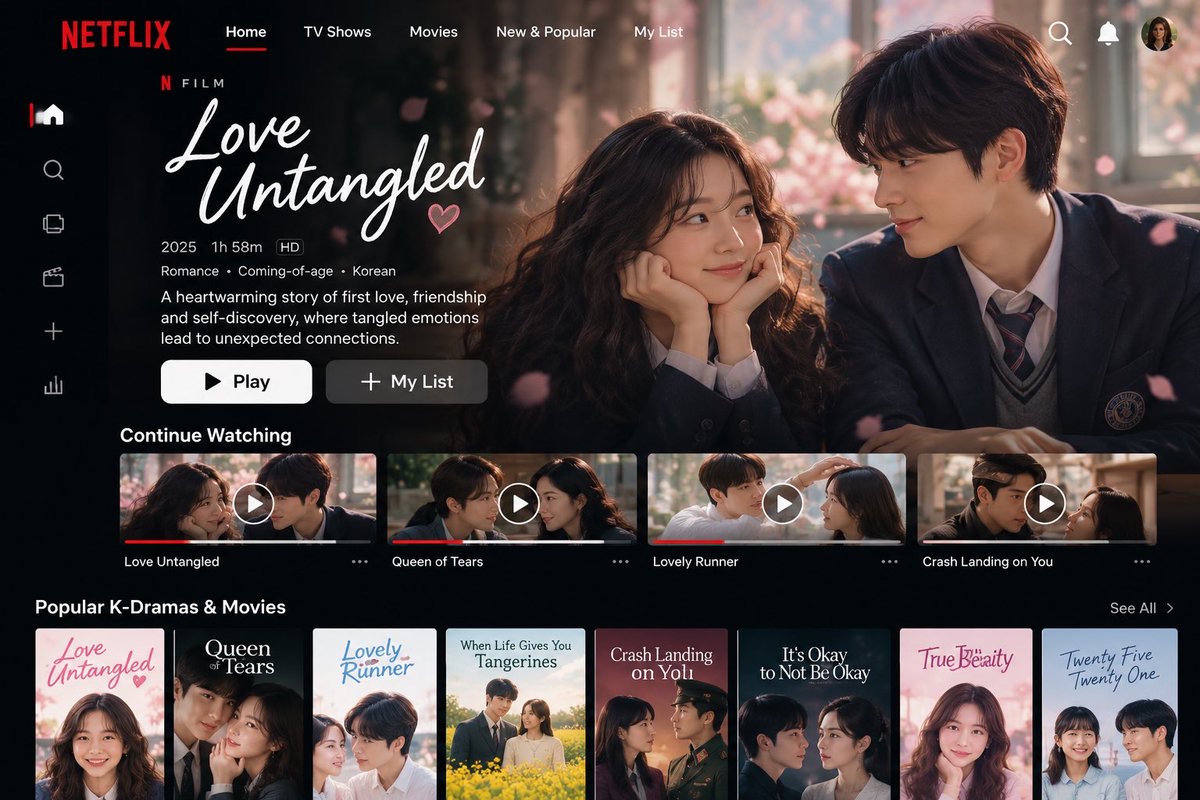
娱乐应用首页界面
生成一张精致的娱乐应用首页模型图,突出主内容、清晰操作按钮与分区推荐卡片。
 simeon-sanai@Naiknelofar788
Prompt
Create a high-fidelity, visually stunning app UI mockup for [APP NAME], inspired by the polished user experience of leading entertainment platforms such as Spotify and Netflix.

Design a realistic, professional interface that looks like a finished product created by an expert UI/UX designer. The screen should immediately communicate the app’s purpose, feature its most important content, and make the primary action obvious.

1. App Identity & Layout

App name: [APP NAME]
Platform: [Mobile / Desktop / Tablet]
Screen: Home / Dashboard
Target audience: [TARGET AUDIENCE]
Featured content: [SONG / ARTIST / MOVIE / K-DRAMA / SHOW]
Visual direction: Clean, minimal, premium, modern, and cinematic.

2. Main Screen Composition

Create a well-organized interface with:

A recognizable app logo and navigation menu.
A clear header with search, notifications, and profile controls where appropriate.
A prominent featured-content section with beautiful, relevant artwork.
The content title, creator or artist, genre, and a concise description.
A highly visible primary action button, such as Play, Watch Now, or Explore.
A secondary action such as Like, Save, or Add to List, where appropriate.
Horizontally scrolling content cards for recommendations, popular items, or recently played content.
A persistent bottom navigation or playback bar when appropriate for the platform.

3. Visual Design

Use a sophisticated design system with:

Carefully balanced spacing, alignment, and visual hierarchy.
Crisp typography with clear distinctions between headings, descriptions, and metadata.
Consistent margins, rounded cards, subtle shadows, and refined iconography.
High-quality cinematic imagery or album artwork relevant to the featured content.
A cohesive color palette inspired by the app’s identity.
Realistic interface details, including progress bars, playback controls, active navigation states, and content thumbnails when relevant.

4. User Experience

Make the screen intuitive, uncluttered, and believable. The user should instantly understand what is featured and how to interact with it. Keep the primary action prominent, secondary controls understated, and supporting content visually organized.

5. Rendering & Presentation

Render the complete interface as a polished, high-resolution product mockup. Show the entire screen clearly, with sharp text, realistic UI components, accurate proportions, and professional lighting or device framing when suitable.

The final result should feel like a premium, launch-ready entertainment app design—not a generic template, wireframe, poster, or collection of unrelated elements.

Important: Preserve the supplied app name, labels, and content exactly. Do not invent prices, account details, ratings, statistics, or unsupported features. Prioritize usability, visual consistency, and a clear content hierarchy.
How to use
替换应用名、平台、受众和主推内容,即可构思音乐或影视产品的首页。
Details
- Type
- Image
- Model
- GPT Image 2.5
- Source
- simeon-sanai
- License
- Source-author-rights
- Published