Image · GPT Image 2.5
Subject Breaking Out of the Share Sheet
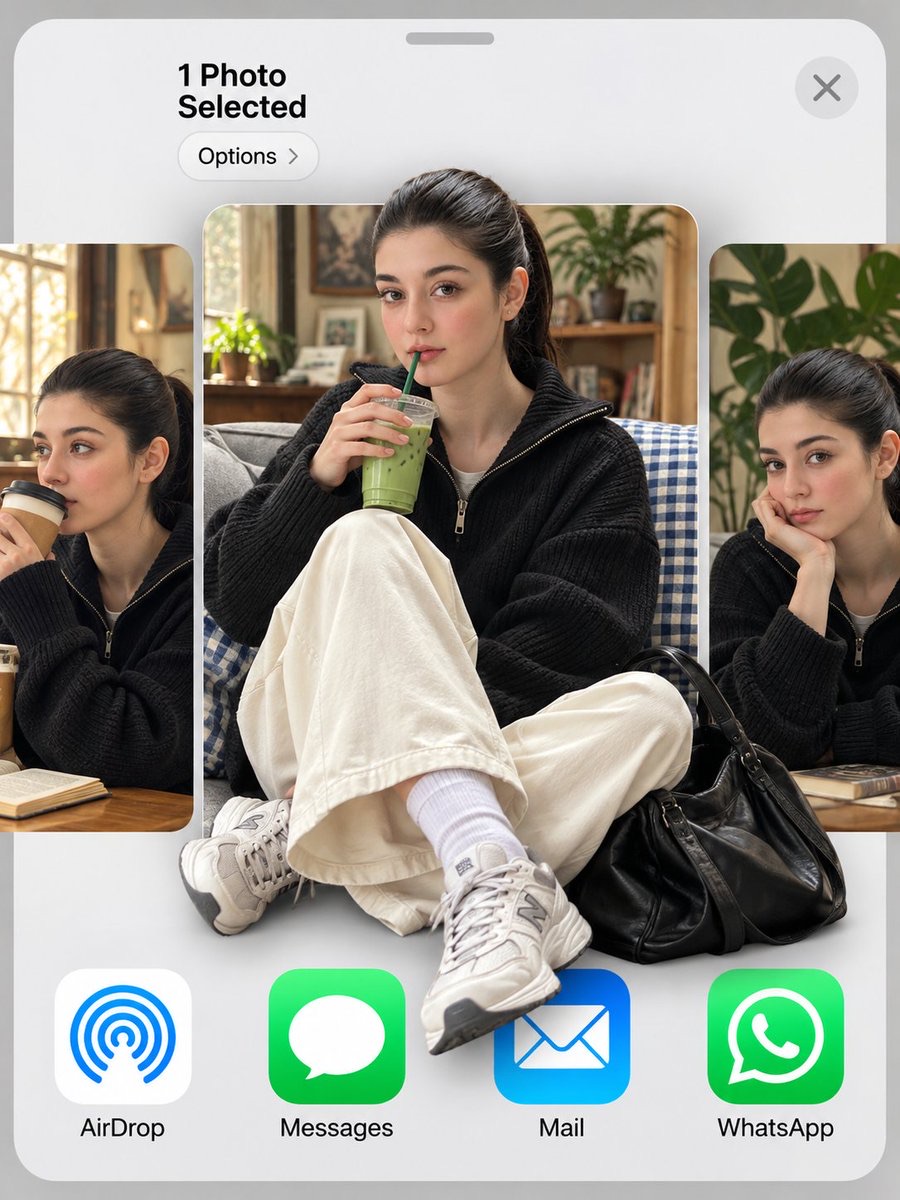
Place the person from the uploaded photo in the center thumbnail of an iOS share sheet, and enhance depth with a 3D effect in which shoes and a bag extend beyond the interface.
 Areeba@TheVirtualMuse
Prompt
Use my uploaded photo as the face reference. 3:4 vertical. An iOS share sheet on a light grey background: top left reads "1 Photo
Selected" with an "Options >" pill below it, a round X close button top right, then a horizontal carousel of three photo thumbnails, and a
bottom row of app icons labeled "AirDrop", "Messages", "Mail", "WhatsApp". Center thumbnail: the man in reference, keeping his exact
face, hairstyle and identity, sitting cross-legged on a grey couch with a blue gingham blanket, holding an iced matcha latte with a green
straw, looking at the camera. He wears a black baseball cap with a white NY logo, thin round gold wire glasses, an oversized cream shirt
with a grey knit sweater draped over his shoulders, wide black trousers, white socks and black leather penny loafers, with a red crochet
drawstring bag at his feet. 3D pop-out effect: his cap breaks out above the thumbnail's top edge, and his loafers and the red bag spill out
over the app icons below. Side thumbnails, partially cropped: the same man sipping a takeaway coffee on the left, and resting his chin on
his hand beside a monstera plant on the right. Soft indoor daylight, realistic skin texture.
How to use
Upload a clear portrait photo as the facial reference, then replace the drink, outfit, and thumbnail content as needed.