Image · GPT Image 2.5
Photo-to-Hand-Drawn Illustration Gradient Poster
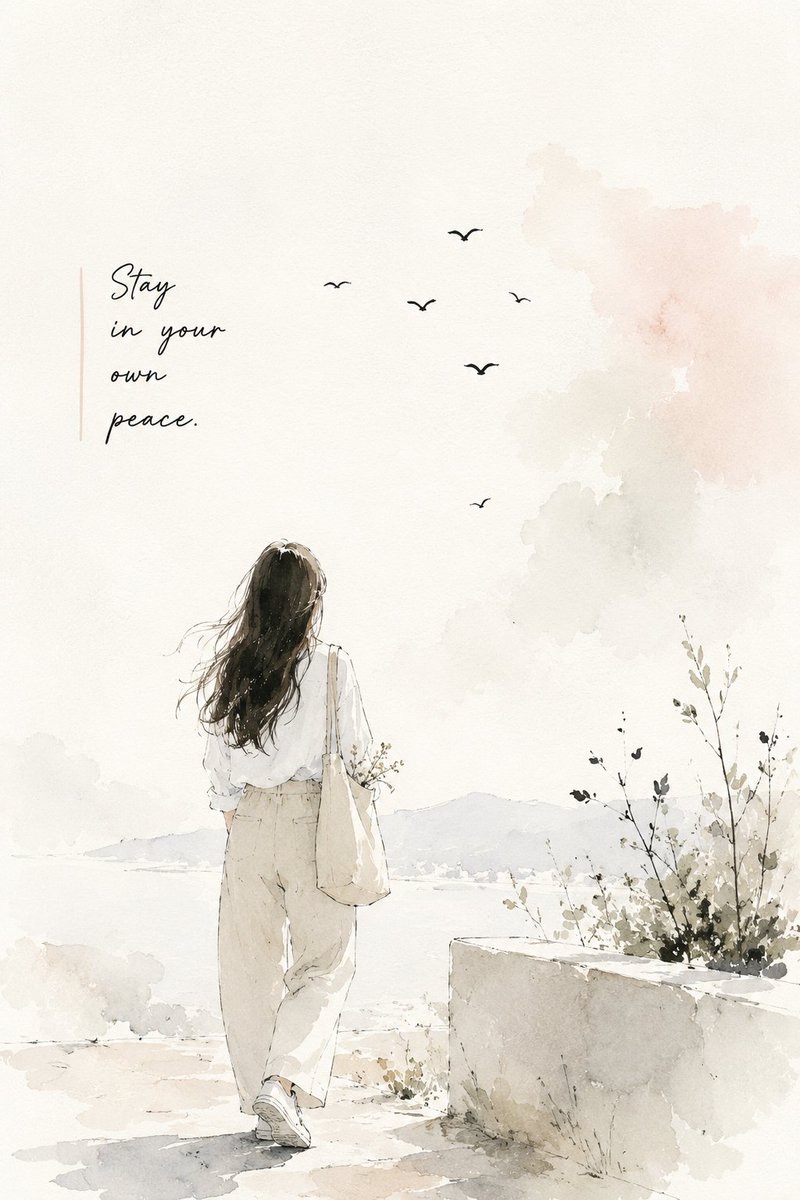
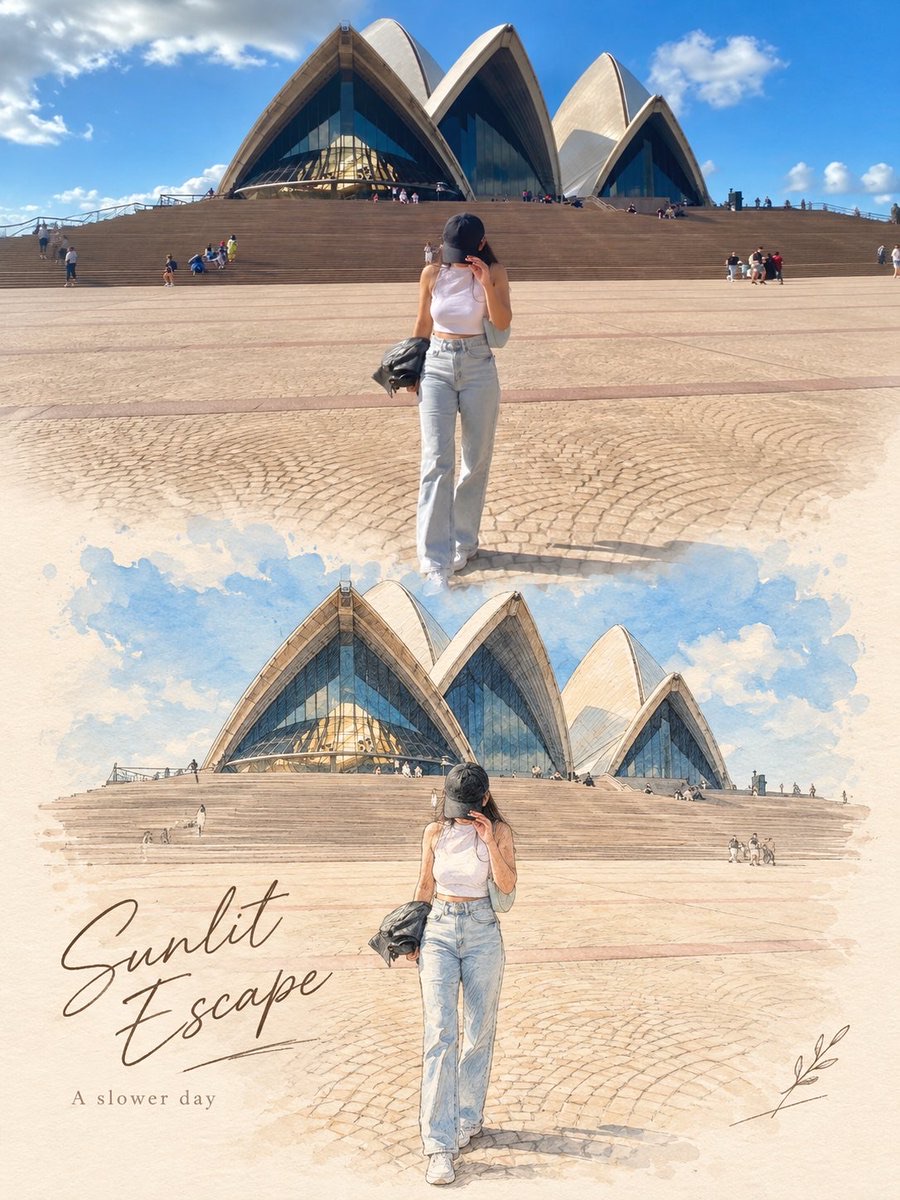
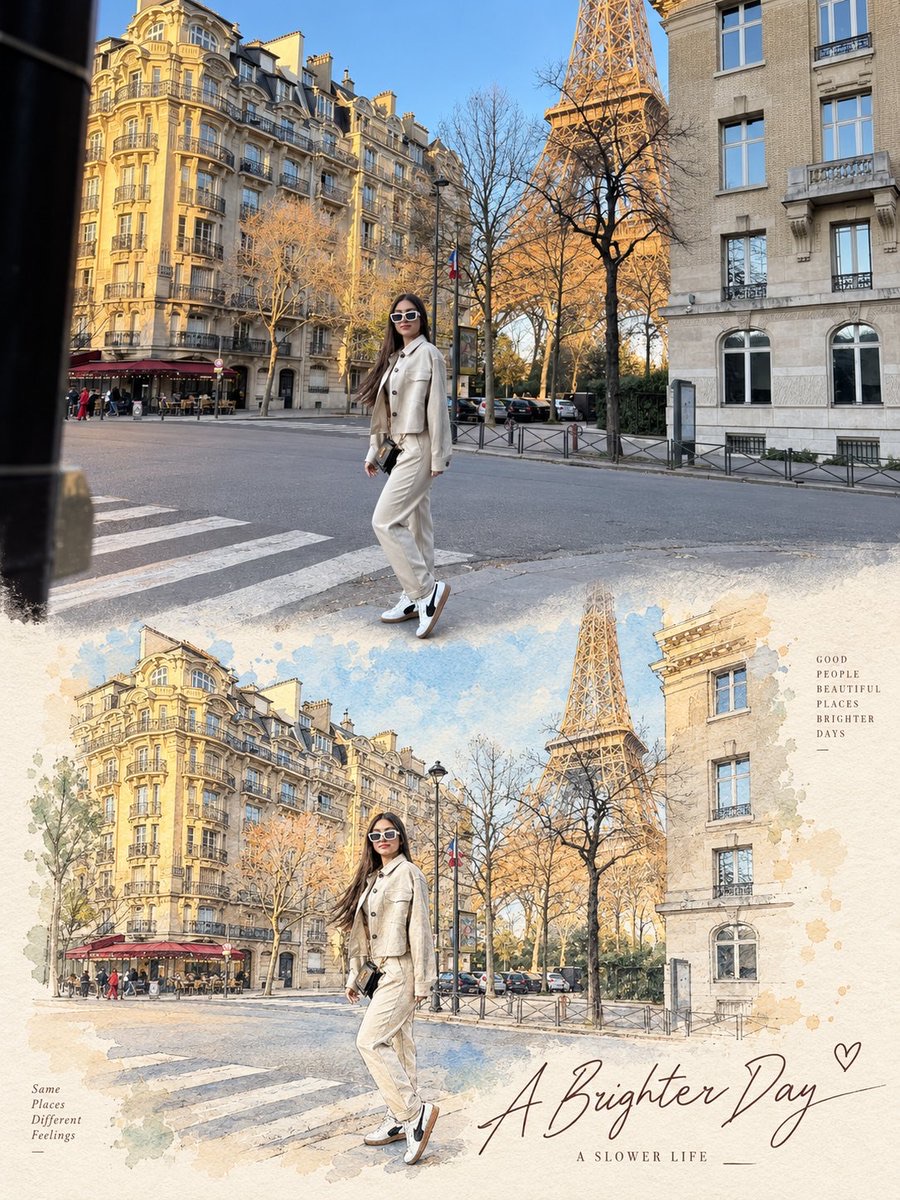
Keep the user-uploaded photo in the upper half of the poster, and redraw the same scene in the lower half with watercolor, colored pencil and fine ink lines, forming a unified editorial-style image.
 Mira@miratechtool
Prompt
Use the uploaded image as the exact reference. Preserve the original subjects, identities, poses, composition, colors, lighting, background, and key details. Do not add, remove, or rearrange major elements.

Create a vertical 3:4 editorial poster with two sections:

- Top half: keep the original photo natural, sharp, and essentially unchanged.
- Bottom half: recreate the exact same scene as a refined hand-drawn illustration in soft watercolor, colored pencil, and fine ink sketch style.

Keep the same subjects, positions, perspective, and recognizable details. Use soft pastel tones, a warm off-white paper background, subtle paper texture, and a premium editorial / art-book / postcard feel. Add a soft seamless transition between the photo and illustration.

Add minimal elegant typography: a handwritten-style title and a small simple subtitle. Use context-appropriate text such as “A Brighter Day” and “A Slower Life”, or for pets/family “Good Friends”, “Brighter Days”, or “Happier Tails ♡”.

Optional: add a few subtle hand-drawn decorative details like tiny petals, leaves, hearts, or sketch marks only if they naturally fit.

Do not change identities or the scene, and do not make the lower section look like photorealism, 3D, anime, or cartoon.
How to use
Usage tip: Upload a photo with a clear subject and composition. When generating the vertical 3:4 poster, check that the subjects' positions, identity features and perspective stay consistent between the top and bottom halves, and replace the title and subtitle with ones suited to the person or pet scene.